

Most people have never logged into their router’s admin panel. The device sits in a corner, the lights blink, the Wi-Fi works, and that’s the end of the relationship. It turns out that level of trust – the blink-and-ignore approach most households have adopted – is exactly what a unit of Russian military intelligence was counting on.
Since at least 2024, Russian GRU 85th Main Special Service Center cyber actors, also known as APT28, Fancy Bear, and Forest Blizzard, have been collecting credentials and exploiting vulnerable routers worldwide. The operation wasn’t targeted at obvious high-value figures with security clearances. The GRU harvested passwords, authentication tokens, emails, and web browsing data normally protected by encryption, indiscriminately compromising a wide pool of victims before filtering down to those with intelligence value related to military, government, and critical infrastructure. If you had one of the affected routers and someone in your household works remotely for any government agency, defense contractor, utility, healthcare system, or really any organization that processes sensitive data, your home network may have been a doorway.
The Department of Justice and the FBI announced a court-authorized operation to neutralize the US portion of the compromised network, which a GRU unit used to facilitate malicious DNS (Domain Name System) hijacking operations against worldwide targets of intelligence interest. DNS hijacking is worth understanding in plain terms: your router normally acts as the traffic director for your internet connection, sending your browser’s requests to the correct destinations. GRU actors exploited routers to overwrite DNS settings, redirecting traffic through attacker-controlled servers, which enabled adversary-in-the-middle attacks that harvested passwords, OAuth tokens, and other credentials for web and email services. Every device connected to that router – every laptop, phone, tablet – inherited the poisoned settings without any indication that anything was wrong.
1. Replace Your Router if It’s End-of-Life
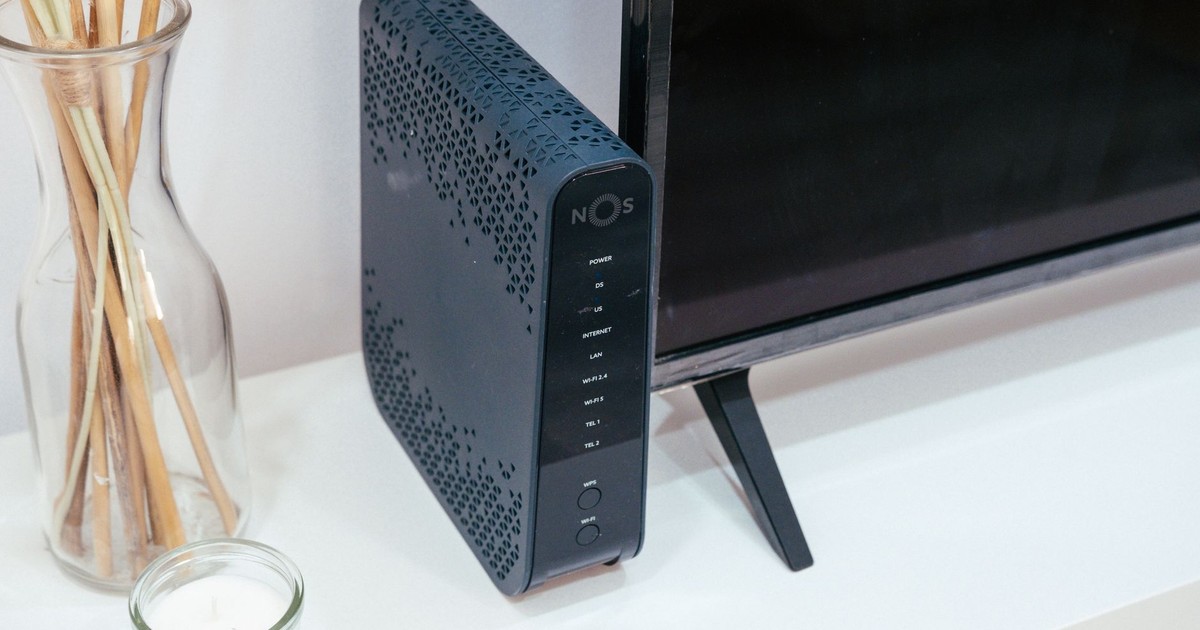
The FBI’s IC3 announcement specifically references one router model, the TP-Link TL-WR841N, a Wi-Fi 4 device originally released in 2007, and the UK’s National Cyber Security Centre advisory listed 23 TP-Link models that were targeted, noting that the list is likely not exhaustive. A router from 2007 is not a quirky vintage item. It’s a device running software that hasn’t received security patches in years, connected to every piece of technology in your home.
Users of SOHO (small office/home office) routers are encouraged to upgrade end-of-support devices, update to the latest firmware versions, change default usernames and passwords, and disable remote management interfaces from the internet. The first of those four actions is the most consequential. When a manufacturer stops releasing firmware updates for a device, it stops patching newly discovered security flaws. One of the TP-Link models APT28 exploited used CVE-2023-50224, a vulnerability that enables an unauthenticated attacker to obtain credentials via specially crafted HTTP requests. That vulnerability was discovered in 2023. If your router was already end-of-life by then, the patch never came.
Check your router’s model number against your manufacturer’s end-of-life list. If it appears there, or if the last firmware update predates 2022, the right move is replacement rather than repair. Current mid-range routers from major manufacturers start well under $100 and come with automatic update capabilities their predecessors never had.
2. Update Your Firmware Right Now

If your router is current enough to still receive support, a firmware update is the single fastest thing you can do today. Firmware is the embedded software that controls how your router operates – it directs traffic, enforces security rules, and manages every device on your network. Manufacturers regularly release updates to patch security vulnerabilities discovered since the device was released, and cybercriminals actively scan networks for routers with known, unpatched exploits.
The process is more straightforward than it sounds. Updating your firmware requires logging into your router after identifying its IP address, which you can usually locate on the router itself and which typically follows a common pattern such as 192.168.0.1 or 192.168.1.1. Once you’re in, look for a section labeled “Firmware,” “Update,” or “Administration.” Many routers will show you the current version and check for a newer one automatically. Consider enabling automatic firmware updates, if available, to ensure your router stays up to date with the latest version, maintaining optimal security and performance.
One practical note: always download firmware files from the official manufacturer’s website, not third-party sources. The irony of downloading a security update from a compromised source is not hypothetical – it’s a documented tactic.
3. Change Your Default Username and Password

Default router credentials are not secrets. They are published in product manuals, compiled into publicly accessible databases, and shared across underground markets that deal in credential harvesting. One of the most common ways hackers gain access to routers is by trying default, manufacturer-set login credentials. This is also one of the most preventable entry points, and yet a significant portion of routers in active use still run on credentials their owners have never changed.
There are two separate passwords worth updating here, and they are easy to confuse. The first is the Wi-Fi network password – the one you enter when a new device joins your network. The second is the router admin password – the one that controls access to the router’s settings panel itself, which is where DNS configurations live, where remote management gets enabled or disabled, and where everything APT28 was exploiting sits. This admin username and password combination is different from your Wi-Fi login, which should also be changed periodically, and the longer and more random your password, the better.
A password manager makes the “long and random” part much less painful. Generate a strong credential, store it, and never think about it again – until the next time someone asks if you changed your router password and you can say yes with confidence.
4. Disable Remote Management
Remote management is a feature that allows someone to access and change your router’s settings from outside your home network, over the internet. For the vast majority of home users and most small-office setups, there is no legitimate reason to have this enabled. Most regular users don’t need to remotely manage their Wi-Fi router, and this is one of the primary ways threat actors can change your router’s settings without the owner’s knowledge.
Once APT28 actors obtained router credentials, the DOJ press release confirmed they sent a second HTTP request to alter the DHCP DNS settings, typically setting the primary DNS server to a malicious IP address while keeping the secondary server as the original to avoid detection. Remote management access was the door that made that manipulation possible from thousands of miles away. Closing it doesn’t require understanding how any of this works technically. It requires finding the remote management toggle in your admin panel – usually under “Advanced,” “Administration,” or “Security” – and switching it off.
Additional guidance from federal agencies advises users to verify the authenticity of DNS resolvers listed in router settings and review firewall settings to prevent the unwanted exposure of remote management systems. While you’re in the admin panel disabling remote access, it’s worth checking what DNS server addresses your router is currently pointing to. Your internet service provider will have specific addresses they assign. If you see anything unfamiliar, especially numeric IP addresses you don’t recognize, contact your ISP.
5. Use a VPN for Remote Work – and Take Browser Certificate Warnings Seriously
Two final steps belong together because they address the same vulnerability from different angles. The GRU’s operation worked, in part, because it intercepted traffic people assumed was encrypted. As Cybersecurity Dive reported, Microsoft stated that “DNS hijacking enables persistent, passive visibility and reconnaissance at scale” for nation-state actors like Forest Blizzard, and Microsoft’s Threat Intelligence team identified over 200 organizations and 5,000 consumer devices impacted by the malicious DNS infrastructure. A VPN (Virtual Private Network) creates an encrypted tunnel for your internet traffic that operates independently of your router’s DNS settings, making interception significantly harder even on a compromised device.
Organizations that allow remote work should review relevant policies regarding how employees access sensitive data, including the use of VPNs and hardened application configurations. If you or anyone in your household works remotely and accesses company systems, a workplace-issued VPN is the baseline. For personal use, a reputable commercial VPN adds a meaningful layer for anyone who has reason to believe their network was exposed.
The second part of this step costs nothing: stop clicking through browser certificate warnings. By conducting adversary-in-the-middle attacks, the cyberspies captured traffic victims assumed was encrypted – but the attack only worked if users ignored invalid TLS certificate warnings triggered by the attacker-controlled infrastructure. A certificate warning in your browser is not a suggestion. It is a specific signal that something between you and your destination is not what it claims to be. Clicking “proceed anyway” is the digital equivalent of ignoring a smoke alarm because dinner is almost ready.
Read More: Why You Should Try Putting Aluminum Foil Behind Your Router
What the FBI Actually Did – and What It Left for You
The FBI developed a series of commands to send to compromised routers in the United States, designed to collect evidence regarding the GRU actors’ activity, reset DNS settings, remove GRU DNS resolvers, and otherwise prevent the GRU actors from exploiting the original means of unauthorized access. That operation, named Operation Masquerade and led by the FBI’s Boston field office, severed Russian access to the compromised devices. Other than blocking the GRU’s ability to access the routers, the operation did not impact the routers’ normal functionality or collect legitimate users’ content information, and the remediation steps can be reversed at any time through a factory reset.
What the FBI could not do remotely was make those devices harder to compromise the next time. At the peak of activity in December 2025, more than 18,000 unique IP addresses from at least 120 countries were communicating with APT28 infrastructure. The operation addressed the US portion of that network, not the global one, and not the underlying conditions that made Russian router hacking so effective in the first place. Those conditions are still present in millions of homes: old devices, unchanged default passwords, firmware that hasn’t been updated in years, and remote management features nobody knew were on. The five steps above don’t require a cybersecurity background. They require about thirty minutes and the kind of attention most of us already give to locking the front door.
AI Disclaimer: This article was created with the assistance of AI tools and reviewed by a human editor.